Introduction
When Apple announced the 11-inch iPad with the M2 chip, I was skeptical. Do we really need another iPad variant? After spending three weeks using it as my primary device for work, creativity, and entertainment, I can confidently say: yes, we do.
Design & Build Quality
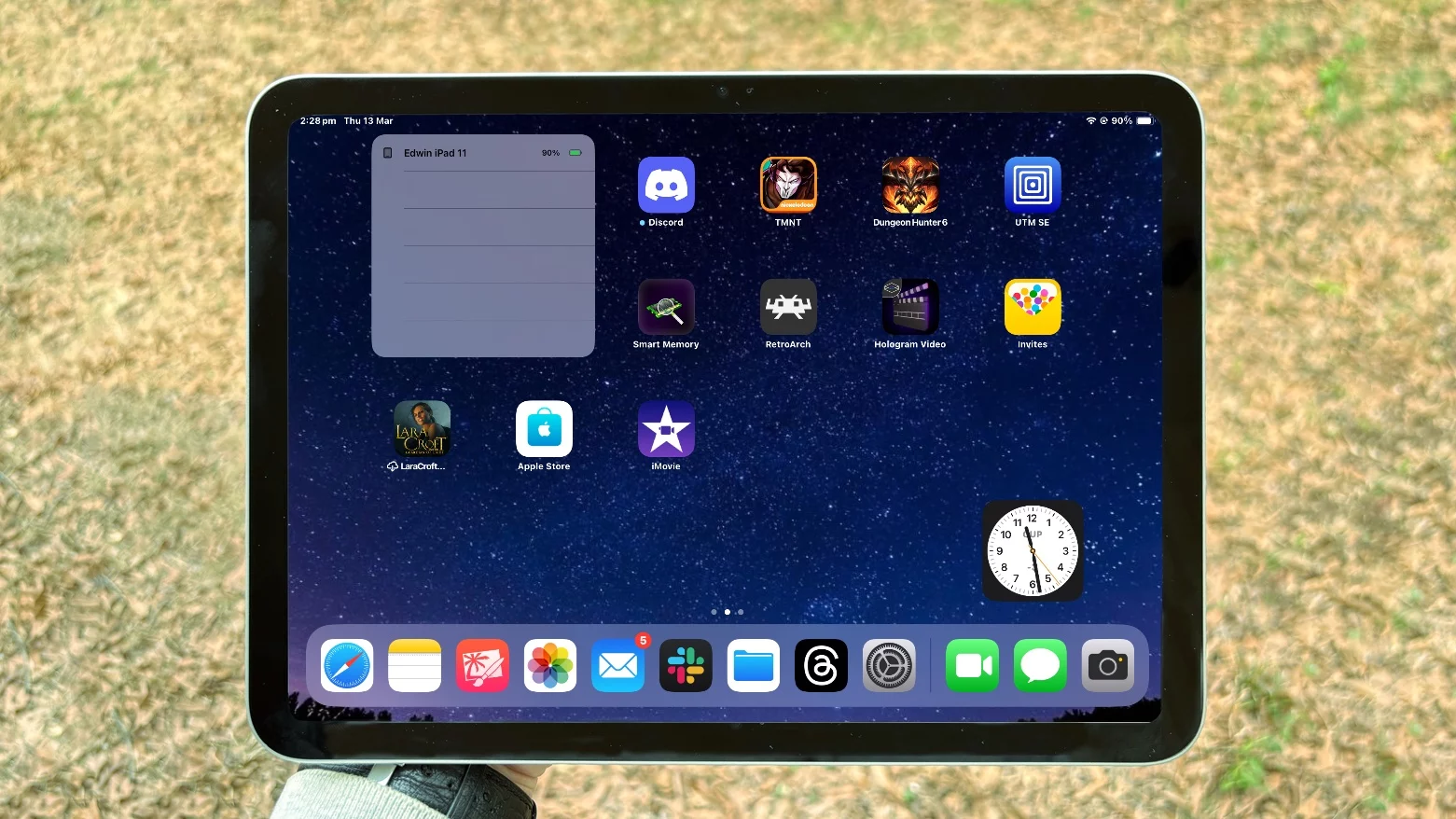
The iPad 11-inch feels premium from the moment you pick it up. The aluminum chassis is solid, the buttons have satisfying tactile feedback, and the overall build quality is exactly what you'd expect from Apple. At 1.02 pounds, it's light enough to hold for extended periods but substantial enough to feel like a serious computing device.
The bezels are perfectly sized - not too thick like older iPads, but not so thin that you're constantly touching the screen accidentally. The rounded corners and smooth edges make it comfortable to hold in any orientation.
Display: A Visual Feast
The 11-inch Liquid Retina display is absolutely stunning. With a resolution of 2388 x 1668 pixels, everything looks crisp and vibrant. Colors are accurate, contrast is excellent, and the 600 nits of brightness means it's perfectly usable even in bright sunlight.
Whether I'm editing photos in Lightroom, watching Netflix, or reading documents, the display never disappoints. The True Tone technology automatically adjusts the color temperature based on ambient lighting, which is a small detail that makes a big difference during long work sessions.
Performance: M2 Power
The M2 chip is a game-changer. This isn't just a tablet - it's a legitimate computer. I can edit 4K video in Final Cut Pro, run multiple apps simultaneously, and never experience any lag or stuttering.
Geekbench scores show the M2 iPad outperforms many laptops, and in real-world usage, that translates to smooth multitasking and lightning-fast app launches. The 8-core CPU and 10-core GPU handle everything I throw at it with ease.
Apple Pencil Integration
The Apple Pencil (2nd generation) integration is seamless. The magnetic attachment and wireless charging are convenient, and the drawing experience is incredibly natural. The palm rejection works perfectly, and the pressure sensitivity makes digital art feel authentic.
For note-taking, the iPad with Apple Pencil has completely replaced my paper notebooks. The handwriting recognition is excellent, and being able to search through handwritten notes is incredibly useful.
Battery Life: All-Day Performance
Apple claims up to 10 hours of battery life, and in my testing, that's accurate. I regularly get through a full workday without needing to charge, even with heavy usage including video editing and graphic design work.
The USB-C port means you can charge with any USB-C cable, and it supports fast charging with a compatible adapter. From 0 to 50% in about 30 minutes is impressive for a device this powerful.
Software: iPadOS 17
iPadOS 17 brings some welcome improvements, including better multitasking with Stage Manager, improved external display support, and enhanced Apple Pencil features. The software feels mature and well-optimized for the hardware.
However, there are still some limitations compared to macOS. Some professional apps are still not available or have limited functionality compared to their desktop counterparts.
What I Love
- Incredible performance with M2 chip
- Beautiful, bright display
- Excellent Apple Pencil integration
- All-day battery life
- Premium build quality
- Versatile USB-C port
- Great for both work and entertainment
What Could Be Better
- Still some software limitations compared to macOS
- Magic Keyboard is expensive but necessary for serious work
- Storage options can get pricey quickly
- No headphone jack (though USB-C adapters work)
Who Should Buy This
The iPad 11-inch is perfect for:
- Creative professionals who need portability
- Students who want a versatile device for notes and entertainment
- Business users who need a powerful tablet for presentations and productivity
- Anyone who wants the best tablet experience available
Verdict
After three weeks of daily use, the iPad 11-inch has exceeded my expectations. It's not just a tablet - it's a legitimate computer that happens to be incredibly portable. The M2 chip provides desktop-class performance, the display is gorgeous, and the Apple Pencil integration is seamless.
While it's not a complete replacement for a MacBook for all users, it's the perfect device for those who prioritize portability without sacrificing power. At $799, it's not cheap, but you're getting a lot of value for your money.
Rating: 4.5/5
The iPad 11-inch strikes the perfect balance between power and portability. It's the best tablet Apple has ever made, and if you're in the market for a premium tablet, this should be at the top of your list.